


1. Home
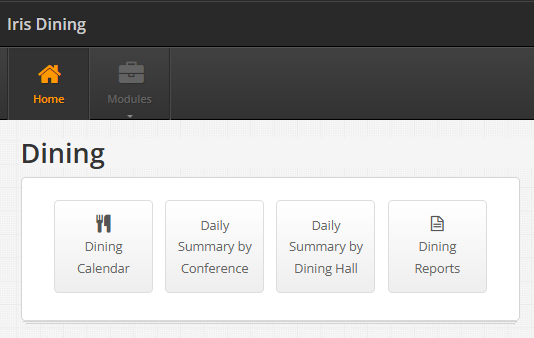
The dining module is made up of 4 individual separate modules.
-
Dining Calendar
-
Daily Summary by Conference
-
Daily Summary by Dining Hall
-
Dining Reports
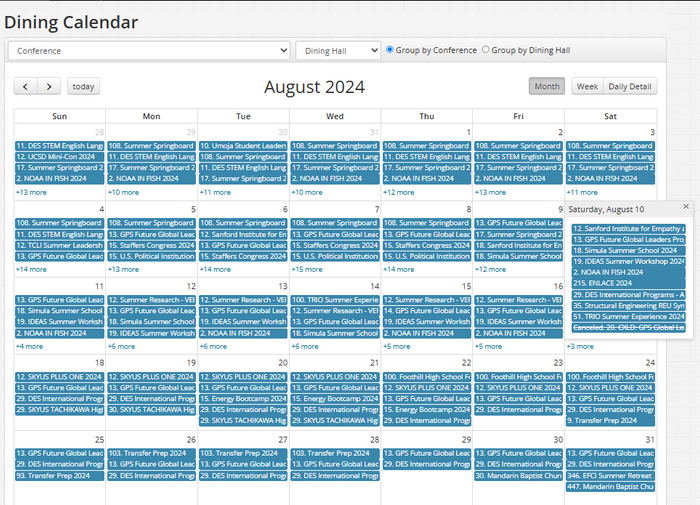
Dining Calendar – displays the dining assignments for a particular conference group on a particular day of the month, week, or a daily detail.
-
To only see the Dining Calendar for a specific organization, select the conference of choice from the dropdown menu and the calendar will filter:
-
Click on each Conf. group name to see # of guests dining w/in that group for a particular meal.
-
Dining arrival times will be in itinerary (Sales team handles dining time assignments).
-
Conf. group dining schedules will always be assigned to same dining hall throughout their duration of stay.
-
Flora wants the conference group to eat closest to where they’re staying.
A compiled list of a conference group's dining assignments.
3. Dining Summary by Dining Hall
A compiled list of dining assignments based on dining hall location.
-
Input the Start and End Date to view specific dates of dining itineraries.
Different reports filtered by a set of different parameters.
-
Dining Counts by Date
-
Dining Counts by Date & Event
-
Dining Detail Counts by Dining Hall & Date
-
Dining Hall Capacity by Time
-
Dining Schedule
Regardless of which report title you select, you MUST input the required parameter values to view specific details:


2. Daily Summary
4. Reports