Operations
Transact Machine
To provide building lobby access to student residents, please utilize the transact encoding machine to program ID cards to gain access to the lobby pertaining to each resident's room assignment.
Select the button below labeled "Download Procedures" for a thorough text breakdown of the instructions to encode student ID's.
For a visual representation of the text based instructions, select the youtube video .
Additionally, document each student ID reauthentication using the spreadsheet below. Please note, the Hospitality Information team is additionally encoding custodial staff ID cards for access to the lobby doors.
***** For residents whose ID cards start malfunctioning after our team encodes using the transact machine (i.e. - unable to use dining dollars, unable to gain access to their suite) please advise the resident to visit the Triton Cards office near Croutons at the Student Center to have their student ID replaced at no extra charge.
Issuing Temp Cards
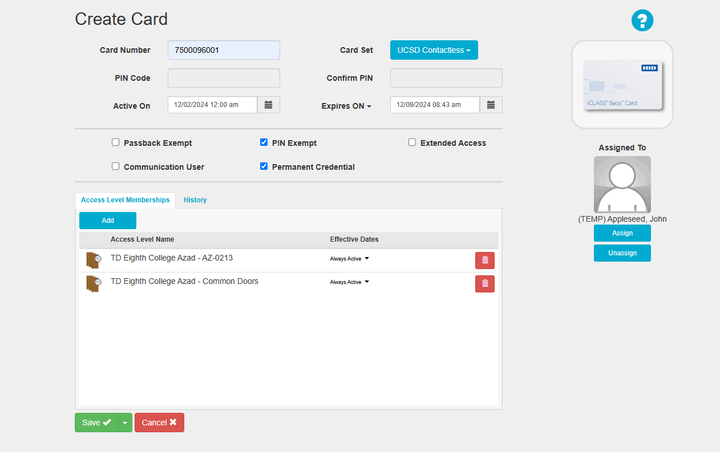
Temporary Cards are courtesy key cards issued to student residents for an allotted time of 7 days before access on the card expires. Student residents are expected to return keycards within the 7 day courtesy time period.

Navigate the home interface by selecting the respective office from which you are going to issue any temp cards.

Select the graphic titled "Cardholders".

Either select an existing temporary profile if the resident has one created.
>Otherwise, select "Create New" to create a new temporary cardholder profile.


Resetting Temp Cards
Temp cards are required to be reset before they may be re-issued to any resident.
> If you attempt to issue a temp card that is still associated with a student resident's residential space, you may receive an error.
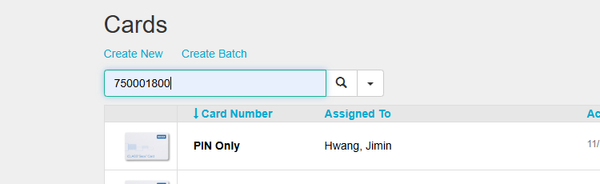
Select the graphic titled "Cards".